Hands-on prototype test · 6 November 2026
MeDo hands-on review: building a quote request demo
We used MeDo to build, revise and publish a small LaunchWise quote request demo. The generated form passed our desktop checks, and a follow-up revision made its dropdown labels readable in a 390px mobile preview. Here is what worked and what needed editing.
Public demo · Not an affiliate link · Use fictional sample data only. LaunchWise is a fictional web design studio in this example.
What we asked MeDo to build
Our goal was a mobile-friendly, English-language website named “LaunchWise Quote Request Demo,” using navy, white and turquoise. We requested a form with name, email, website type, estimated budget, desired launch date and project description. Name, email and description were required, with email-format validation.
The brief explicitly requested an on-screen confirmation, a visible “Demo only — use sample data” notice, no login, no stored submissions, no outgoing emails and no external service connections.
Read our app-building brief
Create a mobile-friendly website called “LaunchWise Quote Request Demo” for a fictional website design business.

Include a quote request form with these fields:
- Name — required
- Email — required, validate the email format
- Website type
- Estimated budget
- Desired launch date
- Project description — required

Clearly display “Demo only — use sample data.”

When a valid form is submitted, show an on-screen confirmation. Do not send emails, save submissions, or connect external services. No login is needed.

Use a clean, professional design with a dark navy, white and turquoise colour palette. Keep all interface text in English.
From requirements to a working preview
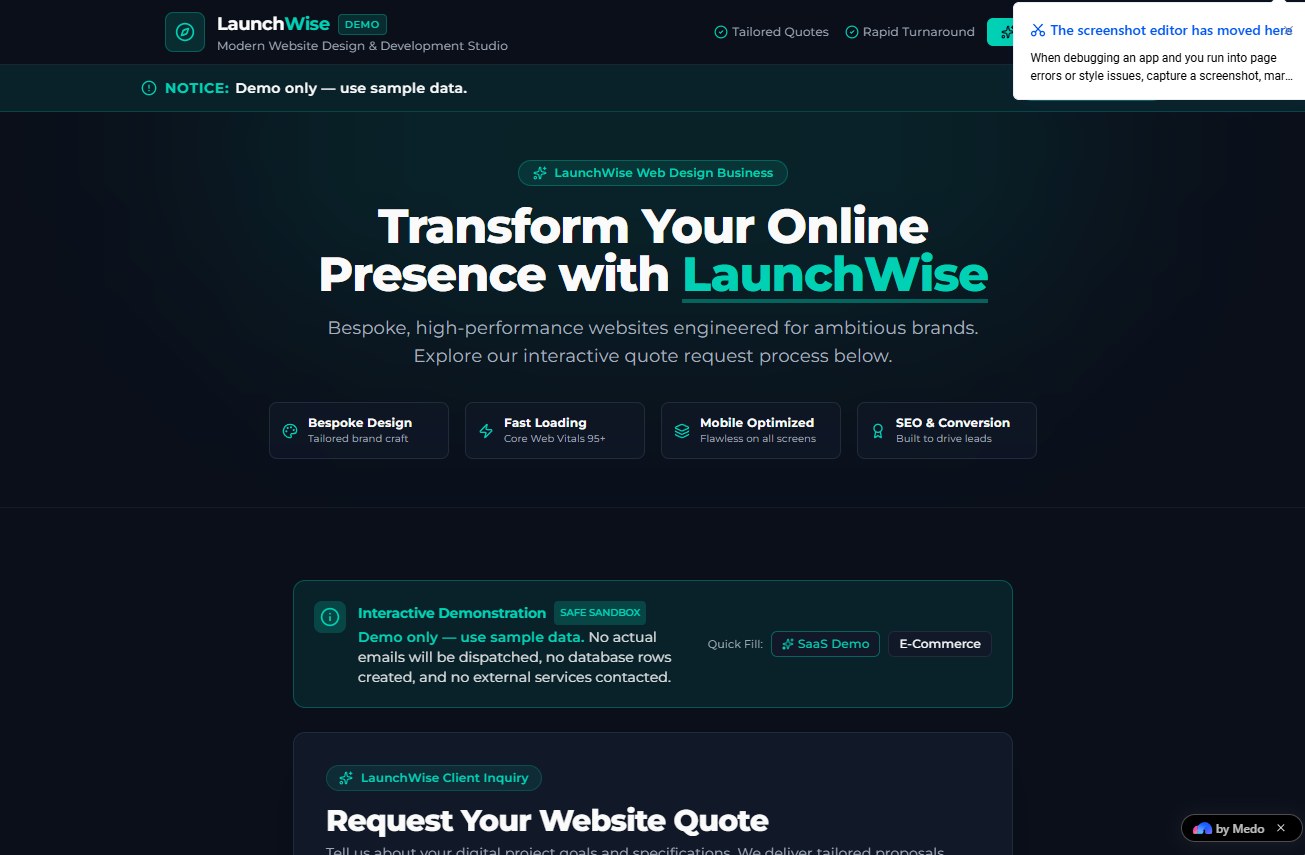
MeDo first produced a requirements document. We selected Generate App and received a preview with a header, hero, feature cards, sample-data buttons, the form and an FAQ. The screenshots place the generation step at about 08:50 and the finished preview at about 08:53. This is an approximate timeline for this build, not a controlled speed benchmark.
What happened in our form tests
| Check | Observed result |
|---|---|
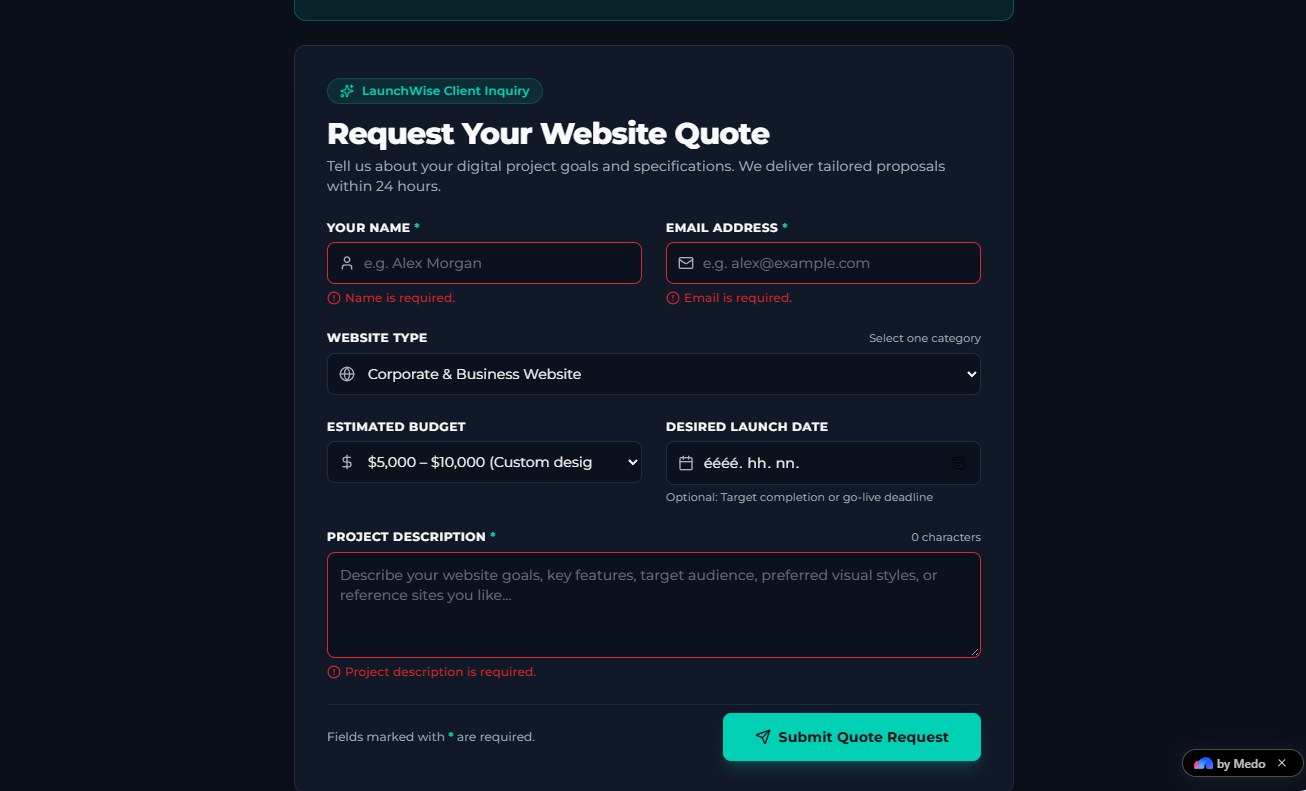
| Empty required fields | Submission was blocked. Inline errors identified the missing name, email and project description. |
| Invalid email | With a name and description entered, “hibasemail” was rejected and an email-format error appeared. |
| Valid sample data | Test User and test@example.com produced a confirmation showing the submitted details. |
| 390px mobile preview | The form stacked vertically. Long dropdown labels were clipped in v1; shorter labels fitted in v2. |
| Submission after revision | The v2 mobile preview displayed a successful confirmation with the expected sample name, email, budget and description. |
| Publication | Publishing produced a public app link. We opened it outside the editor and verified that the revised page loaded. |
The confirmation states that no email was sent and no database records were saved. That matches the requested demo workflow, but we did not audit its source code, network traffic or hosting logs to independently verify data handling.
The first draft needed a content and mobile review
The initial version added a promise to deliver proposals within 24 hours and a “Core Web Vitals 95+” claim. Neither came from our brief, and we had no evidence for either. It also used long website-type and budget labels that were cut off in the phone preview.
We requested three changes in one message: shorter dropdown labels, an explicit demo explanation instead of the 24-hour promise, and removal of the numerical performance claim. Version 2 displayed “Corporate & Business” and plain budget ranges, replaced the proposal promise with demo wording, and used “Optimized performance” on the Fast Loading card.
“Optimized performance” is still generated descriptive copy; we did not measure page speed. The practical lesson is to inspect generated claims before publishing, even when the layout looks finished.
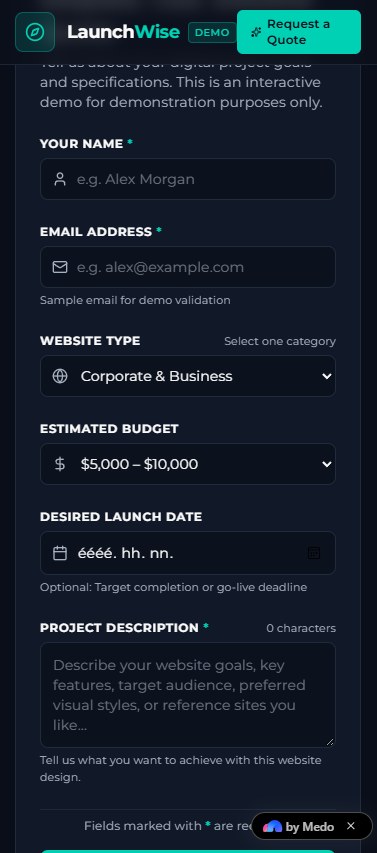
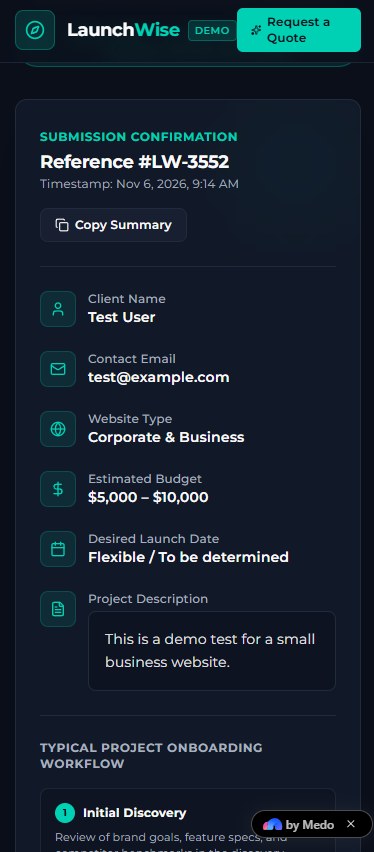
These images show MeDo’s simulated phone viewport, not a test on a physical iPhone. We checked the visible layout and successful submission there; we did not test a full browser/device matrix or carry out an accessibility audit.
What we can say about credit usage
The interface showed 750 credits before our revision and 710 afterward: a net decrease of 40 credits during that revision. We did not obtain an itemized usage record. Earlier balances changed during setup and generation, so this test does not establish the total credit cost of building the app or a typical per-app price.
Our account received 500 partner testing credits. Do not assume that this balance or allocation is available to every new user. Check current plans, usage rules and publishing limits directly with MeDo.
What we did not test
- Real lead collection, database storage, email delivery or third-party integrations.
- Authentication, payment processing, security, load handling or long-term reliability.
- Code export, custom domains or moving the app to another host.
- Comparative performance against other app builders, or a paid-plan value benchmark.
Our assessment: useful for a small, reviewable prototype
For this limited task, MeDo produced a usable visual demo, handled the form checks we tried, accepted a targeted revision and published a page we could open publicly. The built-in sample-data controls were helpful for repeat testing.
The main drawback in our test was the need to correct invented business promises and shorten mobile labels. A polished preview still needs human review. We would consider this workflow for exploring a simple idea, while treating a real customer-facing app as a separate project requiring data, security and operational checks.
Affiliate link · We may earn a commission on qualifying purchases. Verify current plan terms with the provider.
Open our public demo ↗ · AI tools for small business · More LaunchWise guides